Remove an Ex from Photos with AI
Remove an ex from any photo in seconds. Name who to remove and the AI rebuilds the background — watch it work on a sample before you sign up.
or drag & drop it here
JPEG · PNG · WebP · up to 20 MB · zero photo storage
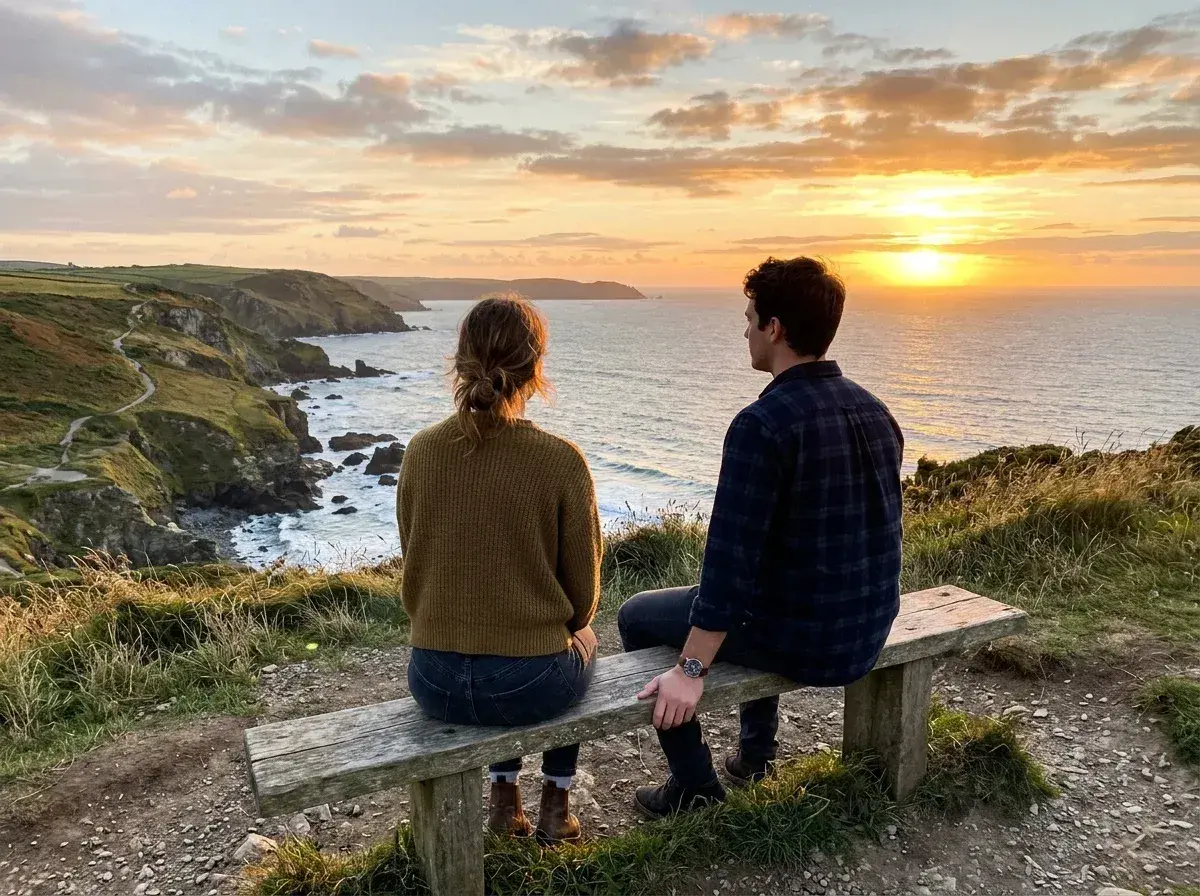
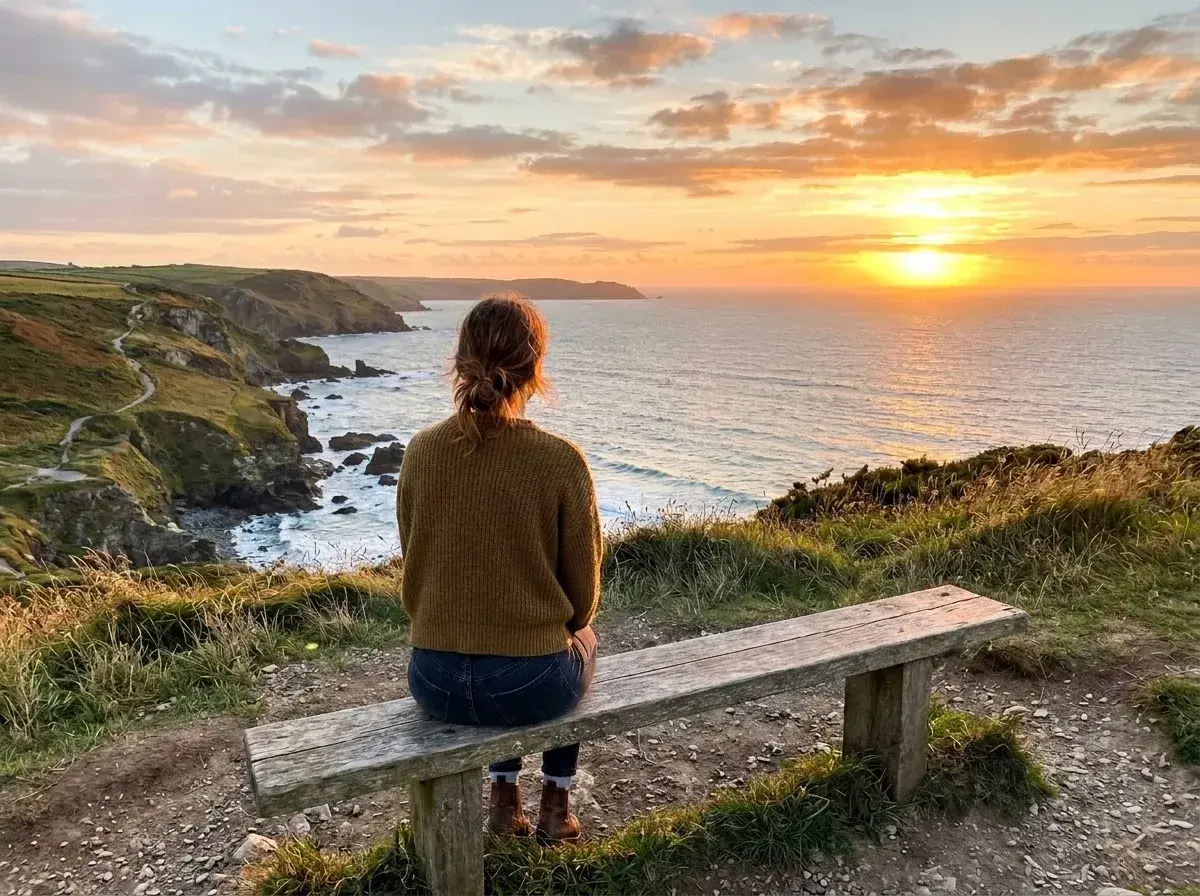 Before → after
We have all been there: you are scrolling through your gallery and find a picture where you look absolutely incredible. The lighting is perfect, your smile is genuine, and the background is breathtaking. But there is a problem. Standing right next to you is someone who is no longer part of your life. In the past, you might have deleted the entire memory just to avoid seeing their face, or perhaps you tried to crop the image only to ruin the composition. You shouldn't have to lose a great version of yourself just because a relationship ended.
Our AI tool is designed to help you reclaim those moments. Whether it is a solo portrait recovered from a couple’s shot or a favorite travel snap from a trip you still cherish, you can now remove an ex from photos without needing any technical design skills. We believe that your memories belong to you, and our technology allows you to keep the parts that matter while quietly erasing the parts that don't.
The process happens entirely online in your browser, meaning you don't have to download any heavy software or learn how to use complex layers. By using simple, plain language, you can tell our model exactly what to do. It is a private, fast, and effective way to clean up your digital history and focus on the person who matters most in those photos: you.
This is one situation the tool handles. Remove people from any photo — upload yours and describe who should go.
Reclaim Your Best Solo Portraits
Often, the best pictures of us are taken during the height of a relationship when we were happy and traveling. It is a shame to let those high-quality images go to waste. Our tool allows you to take out the other person while keeping your own appearance perfectly intact. The AI doesn't just cut them out; it intelligently reconstructs the background behind them, whether it was a sunset at the beach, a busy city street, or a quiet mountain trail.
This isn't about rewriting history; it’s about curating your own gallery. If you have a shot from a wedding or a gala where you look your absolute best, you can get rid of the person standing beside you in under 10 seconds. The result is a clean, professional-looking solo shot that looks like it was originally taken that way. You get to keep the confidence and the memory of the event without the emotional baggage of the person who was there with you.
No Brushing, No Masking—Just Plain English
Most photo editors require you to carefully brush over the person you want to delete, which can be tedious and often leads to jagged edges or blurry artifacts. We have simplified the entire interface. To remove an ex from photos using our tool, you simply upload the image and type a description of who should go. You can say "remove the man on the right" or "erase the person holding my hand."
Our AI understands these instructions and handles the heavy lifting. It identifies the subject, separates them from the background, and fills in the empty space with realistic textures that match the rest of the image. Because you aren't manually selecting pixels, the transition is seamless. It is the easiest way to take someone out of a picture while ensuring the final result looks natural and untouched.
A Private Way to Edit Your Past
Editing a photo of an ex can feel deeply personal. Many people feel uncomfortable sending these types of images to a professional editor or a marketplace where a human freelancer will see them. Our tool offers a completely private alternative. The entire process is handled by our AI, and no human eyes ever see your uploads. We take your privacy seriously: all photos are automatically deleted from our servers after 24 hours and are never used for AI training.
This means you can clean up your camera roll with total peace of mind. Whether you are preparing a new profile picture or just want to look back at your vacation photos without a sting of regret, you can do it discreetly. For those who only have a few specific memories they want to save, our Starter plan at $9 per month provides 20 edits, making it an affordable way to handle a small batch of important photos without a long-term commitment.
Professional Results Without the Watermark
When you use our tool, you are getting a high-quality image ready for social media or personal archives. Unlike many free tools that ruin your hard work with a giant logo, all of our downloads have no watermark. Depending on your needs, you can choose the resolution that fits best. Our Plus plan offers high-resolution exports for those who want to keep their images crisp, while the Studio plan provides 4K output for professional-grade quality.
The reconstruction happens in seconds, so you can see the results almost instantly. If you want to see how it works before committing, you can try the sample photos on our homepage for free. Once you are ready to upload your own pictures, you can choose the plan that fits your volume. All plans allow for one-click cancellation, and your unused edits refresh every month, giving you the flexibility to clean up your library at your own pace.
More real results
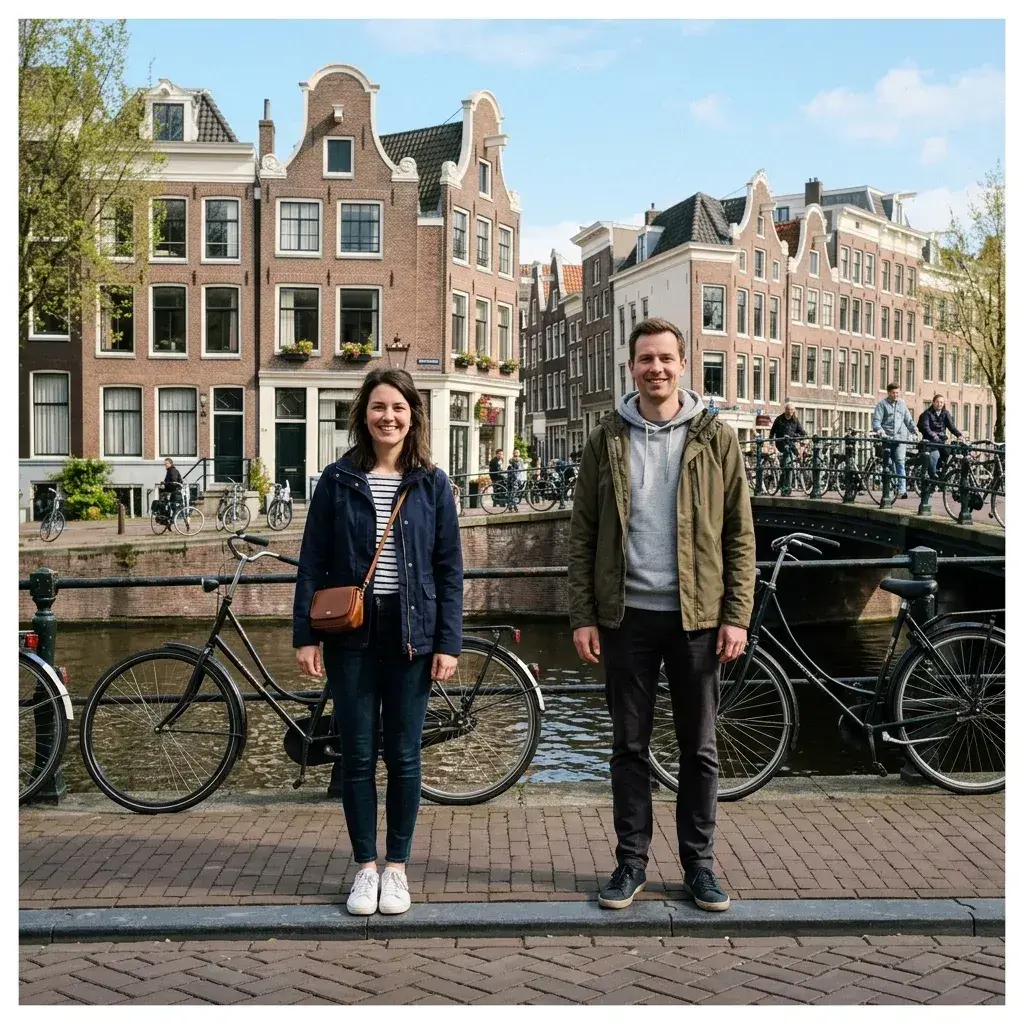
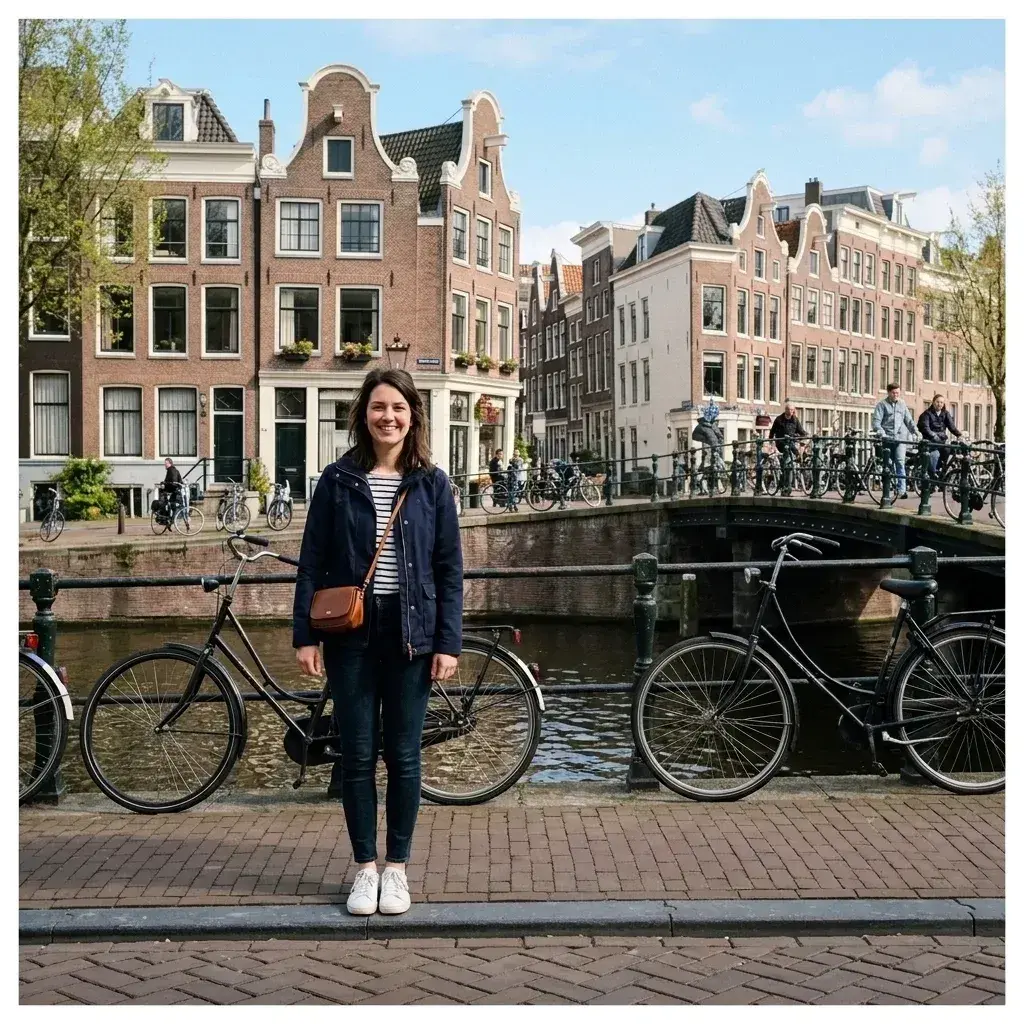 Before → after
Common questions
Can I keep myself looking natural when the other person is removed?
Is this private—does anyone see my photos?
What happens where we were touching or holding hands?
How long does the process take?
Do I need to be good at Photoshop to use this?
Can I use this on my phone?
Fix your photo in the next minute
Plans from $9/month · cancel anytime
or drag & drop it here
JPEG · PNG · WebP · up to 20 MB · zero photo storage